What's inside
Form content
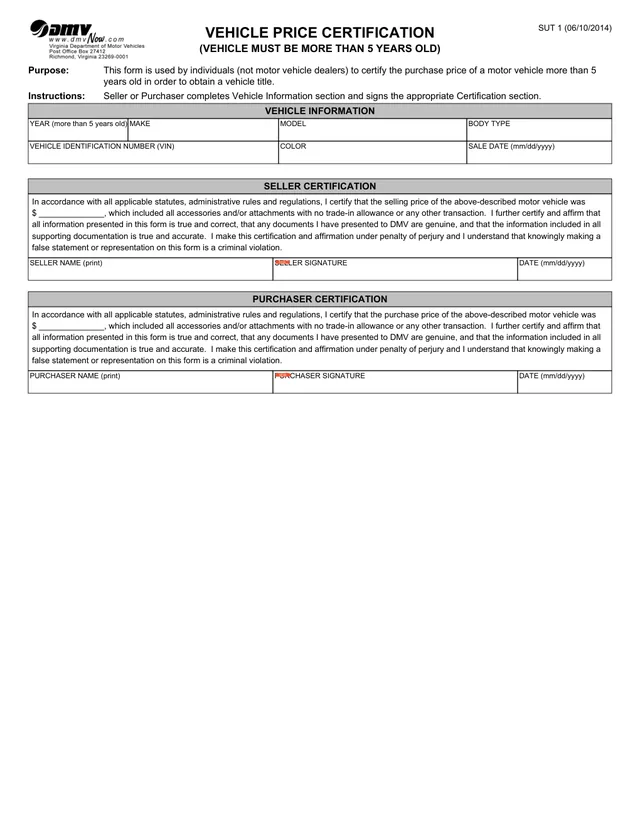
In accordance with all applicable statutes, administrative rules and regulations, I certify that the purchase price of the above-described motor vehicle was
$ ______________, which included all accessories and/or attachments with no trade-in allowance or any other transaction. I further certify and affirm that all information presented in this form is true and correct, that any documents I have presented to DMV are genuine, and that the information included in all supporting documentation is true and accurate. I make this certification and affirmation under penalty of perjury and I understand that knowingly making a false statement or representation on this form is a criminal violation.
PURCHASER CERTIFICATION
PURCHASER NAME (print)
PURCHASER SIGNATURE
DATE (mm/dd/yyyy)
SELLER CERTIFICATION
In accordance with all applicable statutes, administrative rules and regulations, I certify that the selling price of the above-described motor vehicle was
$ ______________, which included all accessories and/or attachments with no trade-in allowance or any other transaction. I further certify and affirm that all information presented in this form is true and correct, that any documents I have p
How to fill it
Fill or edit this form in MePDF
- Preview page 1 to confirm the form name and revision.
- Select Fill form to answer the form one page at a time.
- Type an answer for each field; checkboxes and choices use the form’s own options.
- Preview the finished pages, then download the flattened PDF.
- The downloaded copy is image-only, so it cannot be edited as a form again.
Fill only the fields that apply and keep a copy of the finished PDF. The editor keeps the original layout while you fill the existing fields.