What's inside
Form content
MS004.2506
1 of 17
Some people can enrol online using their myGov account.
For more information go to servicesaustralia.gov.au/enrolmedicare
When to use this form
Use this form to enrol in Medicare for the first time, re-enrol in
Medicare or enrol your newborn child in Medicare.
This form allows you to enrol up to 5 people in Medicare. If you have more than 5 people to enrol, you will need to complete an additional
Medicare enrolment form (MS004) form.
Family and domestic violence
If you are affected by family and domestic violence, there is help available. Call 132 850 Monday to Friday, 8 am to 5 pm local time, and ask to speak to a social worker. Otherwise, you can contact
1800RESPECT 1800 737 732, a 24 hour service. If you are in immediate danger, call 000. For more information, go to www.servicesaustralia.gov.au/domesticviolence
Medicare Safety Nets
If you need to see a doctor or get tests regularly, you could end up with high medical costs. Medicare Safety Nets can help to lower your costs for out of hospital services. We will register you as an
Individual if you are enrolled in Medicare. If you are part of a family or couple, you can choose to register as a family to combine
How to fill it
Fill or edit this form in MePDF
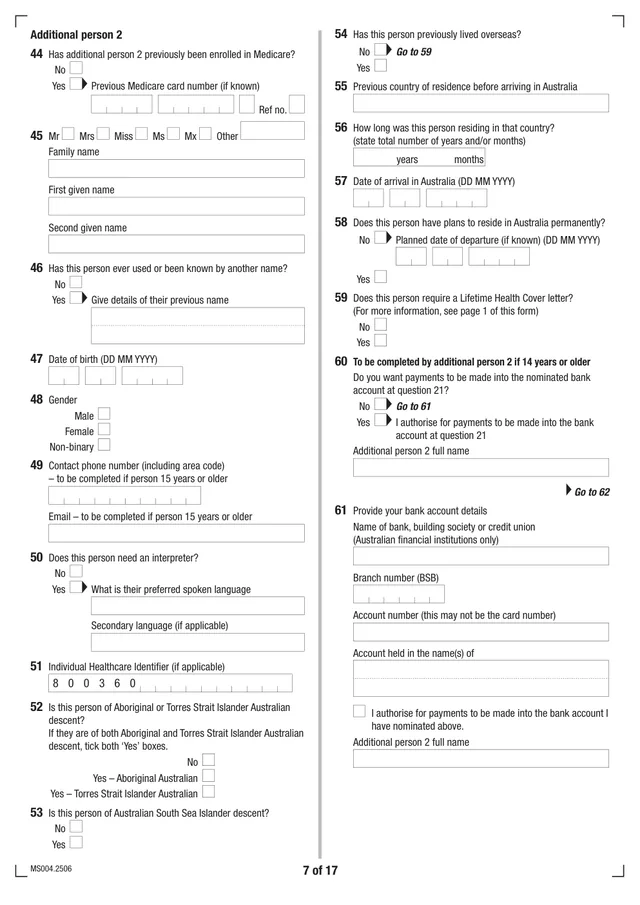
- Preview page 7 to confirm the form name and revision.
- Select Fill form to answer the form one page at a time.
- Type an answer for each field; checkboxes and choices use the form’s own options.
- Preview the finished pages, then download the flattened PDF.
- The downloaded copy is image-only, so it cannot be edited as a form again.
Use the patient's legal name and the insurer's exact member details. The editor keeps the original layout while you fill the existing fields.