What's inside
Form content
MS011.2506
1 of 6
Online account
If you are 15 years or older, the fastest and easiest way to get your own Medicare card or add someone to your card is online. You may be able to use your Medicare online account through myGov or the myGov app. For more information, go to www.servicesaustralia.gov.au/medicarecard
When to use this form
Use this form if you need to:
•
Transfer to a new Medicare card
–
When a person transfers to a new Medicare card they will no longer be on the old Medicare card. If you are wanting to transfer onto a new card, fill out this form as person 1.
–
For example, a child (who is 15 years or older) enrolled on their parent’s Medicare card wants to have their own card and to no longer be on their parent’s card.
•
Copy to a new Medicare card
–
When a person is copied to a new Medicare card they stay active on both Medicare cards.
–
For example, a child who attends boarding school can have a card of their own and still be on their parent’s Medicare card.
•
Transfer to an existing Medicare card
–
When a person transfers to an existing Medicare card they will no longer be on the old Medicare card.
–
For example, a couple chooses to be enrolled on the same
Medicare
How to fill it
Fill or edit this form in MePDF
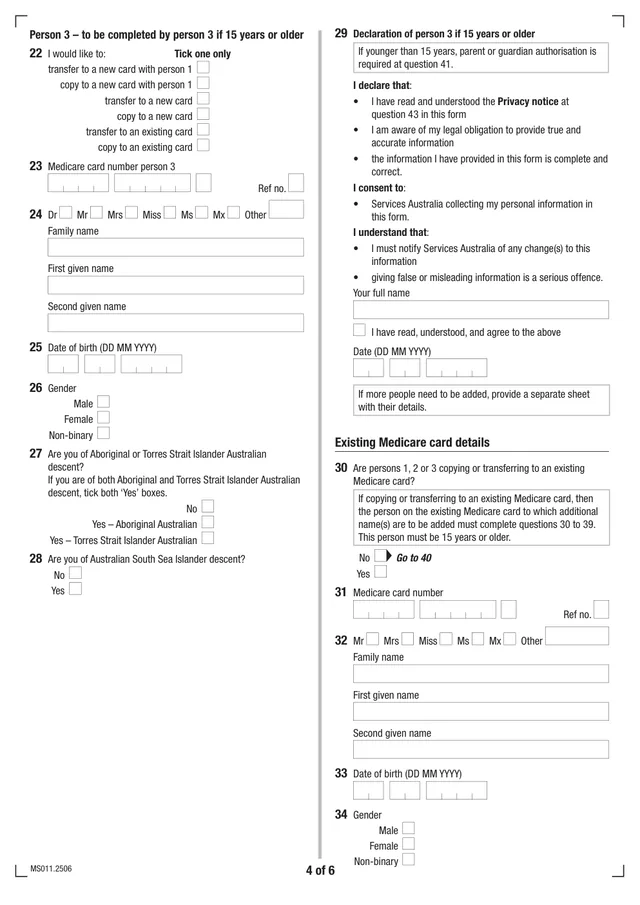
- Preview page 4 to confirm the form name and revision.
- Select Fill form to answer the form one page at a time.
- Type an answer for each field; checkboxes and choices use the form’s own options.
- Preview the finished pages, then download the flattened PDF.
- The downloaded copy is image-only, so it cannot be edited as a form again.
Use the patient's legal name and the insurer's exact member details. The editor keeps the original layout while you fill the existing fields.