What's inside
Form content
CA-9-E (2018/04)
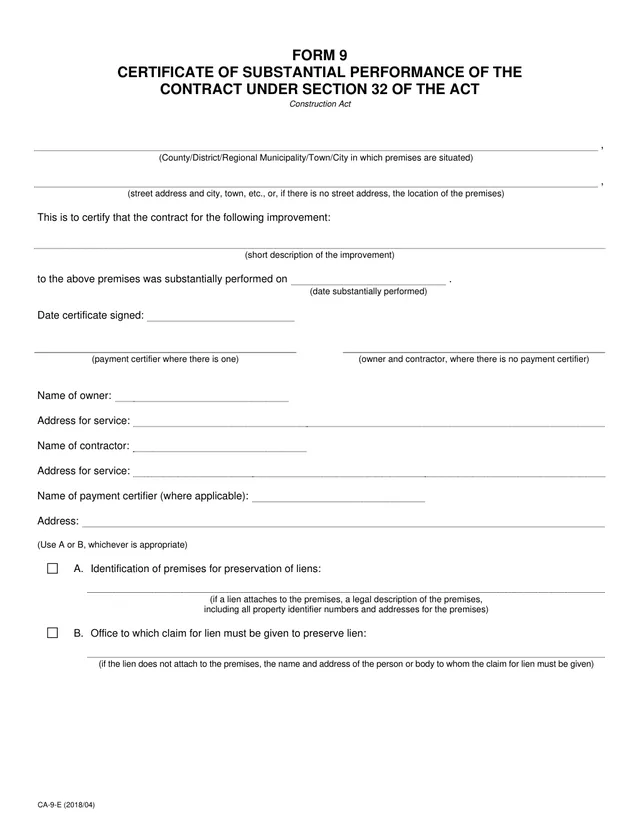
CERTIFICATE OF SUBSTANTIAL PERFORMANCE OF THE
CONTRACT UNDER SECTION 32 OF THE ACT
Construction Act
,
(County/District/Regional Municipality/Town/City in which premises are situated)
,
(street address and city, town, etc., or, if there is no street address, the location of the premises)
This is to certify that the contract for the following improvement:
(short description of the improvement) to the above premises was substantially performed on
.
(date substantially performed)
Date certificate signed:
(payment certifier where there is one)
(owner and contractor, where there is no payment certifier)
Name of owner:
Address for service:
Name of contractor:
Address for service:
Name of payment certifier (where applicable):
Address:
(Use A or B, whichever is appropriate)
A. Identification of premises for preservation of liens:
(if a lien attaches to the premises, a legal description of the premises, including all property identifier numbers and addresses for the premises)
B. Office to which claim for lien must be given to preserve lien:
(if the lien does not attach to the premises, the name and address of the person or body to whom the claim for lien must be given)
How to fill it
Fill or edit this form in MePDF
- Preview page 1 to confirm the form name and revision.
- Select Fill form to answer the form one page at a time.
- Type an answer for each field; checkboxes and choices use the form’s own options.
- Preview the finished pages, then download the flattened PDF.
- The downloaded copy is image-only, so it cannot be edited as a form again.
Use the registered business name and the correct tax identifier. The editor keeps the original layout while you fill the existing fields.