What's inside
Form content
Protected B when completed
Protégé B une fois rempli
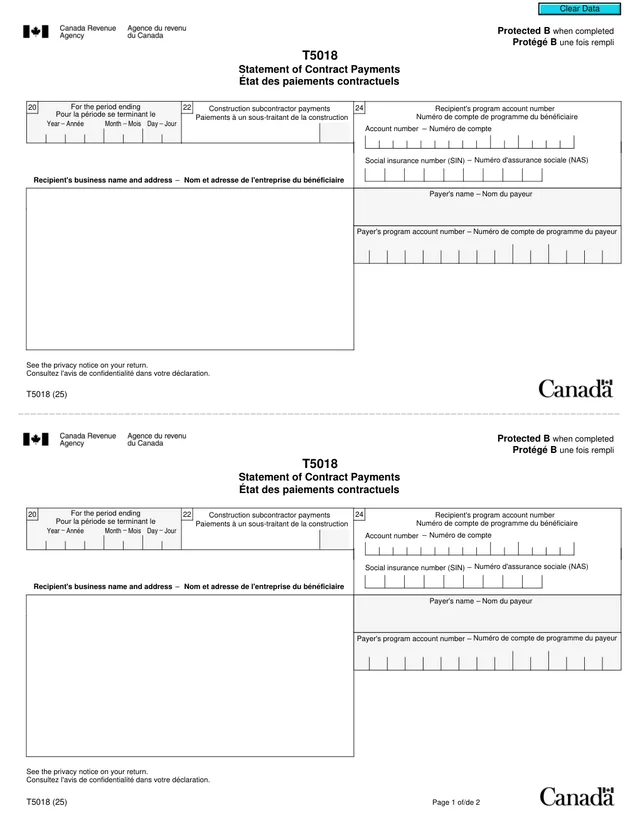
T5018
Statement of Contract Payments
État des paiements contractuels
20
For the period ending
Pour la période se terminant le
Year – Année
Month – Mois
Day – Jour
22
Construction subcontractor payments
Paiements à un sous-traitant de la construction
24
Recipient's program account number
Numéro de compte de programme du bénéficiaire
Account number – Numéro de compte
Social insurance number (SIN) – Numéro d'assurance sociale (NAS)
Recipient's business name and address – Nom et adresse de l'entreprise du bénéficiaire
Payer's name – Nom du payeur
Payer's program account number – Numéro de compte de programme du payeur
See the privacy notice on your return.
Consultez l'avis de confidentialité dans votre déclaration.
T5018 (25)
Protected B when completed
Protégé B une fois rempli
T5018
Statement of Contract Payments
État des paiements contractuels
20
For the period ending
Pour la période se terminant le
Year – Année
Month – Mois
Day – Jour
22
Construction subcontractor payments
Paiements à un sous-traitant de la construction
24
Recipient's program account number
Numéro de compte de programme du bénéficiaire
Account number – Numéro de c
How to fill it
Fill or edit this form in MePDF
- Preview page 1 to confirm the form name and revision.
- Select Fill form to answer the form one page at a time.
- Type an answer for each field; checkboxes and choices use the form’s own options.
- Preview the finished pages, then download the flattened PDF.
- The downloaded copy is image-only, so it cannot be edited as a form again.
Use the registered business name and the correct tax identifier. The editor keeps the original layout while you fill the existing fields.