What's inside
Form content
CMS-40B (07/2025)
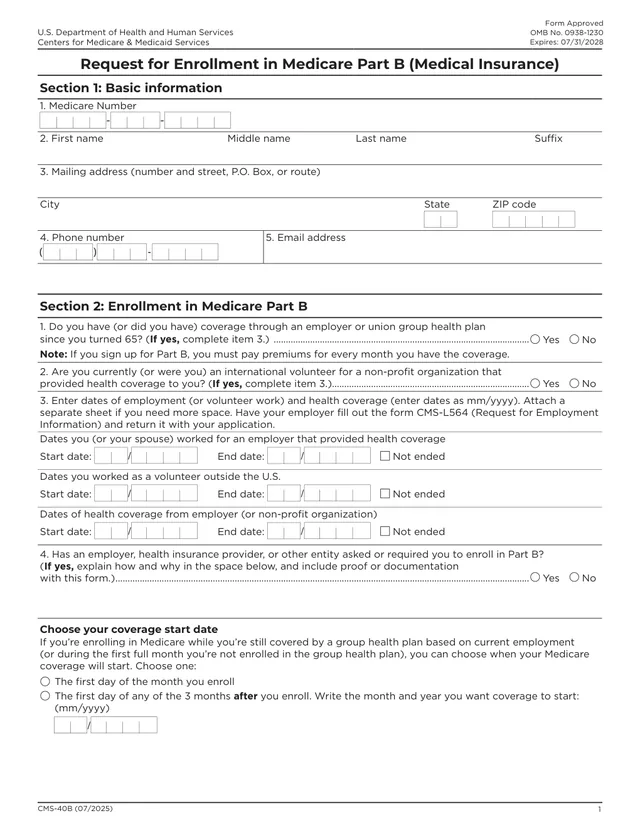
Request for Enrollment in Medicare Part B
(Medical Insurance)
Use this form if you already have Medicare Part A and want to sign up for Part B (Medical Insurance). You can use this form to sign up for Part B during these times:
•
During your Initial Enrollment Period
•
During the General Enrollment Period from January 1–March 31 each year
•
If you’re eligible for a Special Enrollment Period
If you don’t have Part A, don’t complete this application. Contact Social Security to apply for
Medicare for the first time.
Visit Medicare.gov/basics/get-started-with-medicare to learn more about when you can sign up for
Medicare, when your coverage can start, and special situations for people under 65 with a disability.
Submit your form by mail or fax
Mail or fax your completed, signed form to your local Social Security office. Find an office near you at
SSA.gov/locator.
Get help with this form
•
Phone: Call Social Security at 1-800-772-1213. TTY users call 1-800-325-0778.
•
En Español: Llame a SSA gratis al 1-800-772-1213 y oprima el 2 si desea el servicio en Español y espere a que le atienda un agente.
•
For an office near you visit SSA.gov/locator.
•
State Health Insurance
How to fill it
Fill or edit this form in MePDF
- Preview page 2 to confirm the form name and revision.
- Select Fill form to answer the form one page at a time.
- Type an answer for each field; checkboxes and choices use the form’s own options.
- Preview the finished pages, then download the flattened PDF.
- The downloaded copy is image-only, so it cannot be edited as a form again.
Use the patient's legal name and the insurer's exact member details. The editor keeps the original layout while you fill the existing fields.