What's inside
Form content
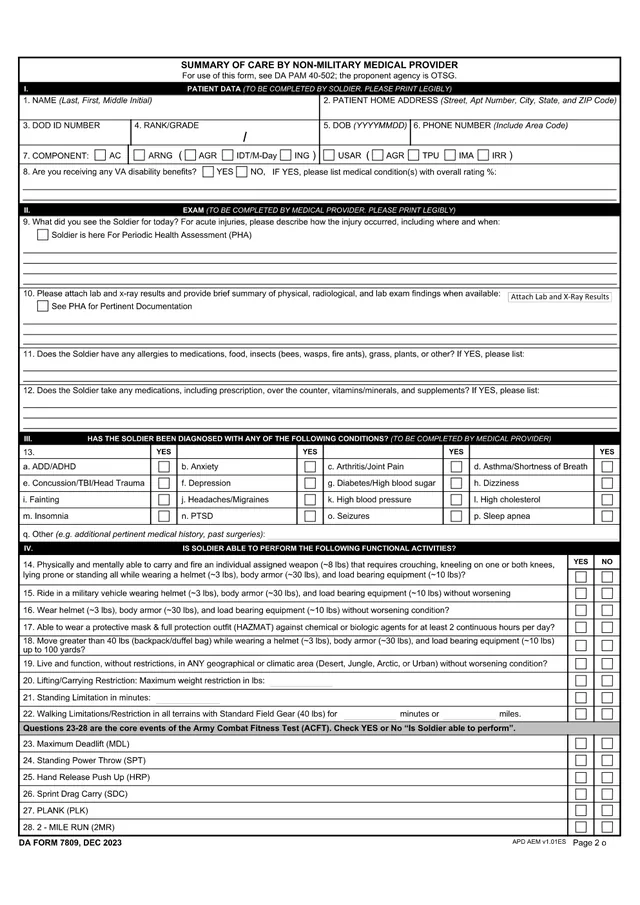
This PDF is image-based. Preview the page to read it, then use the editor to add text or fields.
Fieldspage1_field1page1_field2page1_field3page1_field4page1_field5page1_field6page1_field7page1_field8page1_field9page1_field10page1_field11page1_field12
How to fill it
Fill or edit this form in MePDF
- Preview page 2 to confirm the form name and revision.
- Select Fill form to answer the form one page at a time.
- Type an answer for each field; checkboxes and choices use the form’s own options.
- Preview the finished pages, then download the flattened PDF.
- The downloaded copy is image-only, so it cannot be edited as a form again.
Use the patient's legal name and the insurer's exact member details. The editor keeps the original layout while you fill the existing fields.