What's inside
Form content
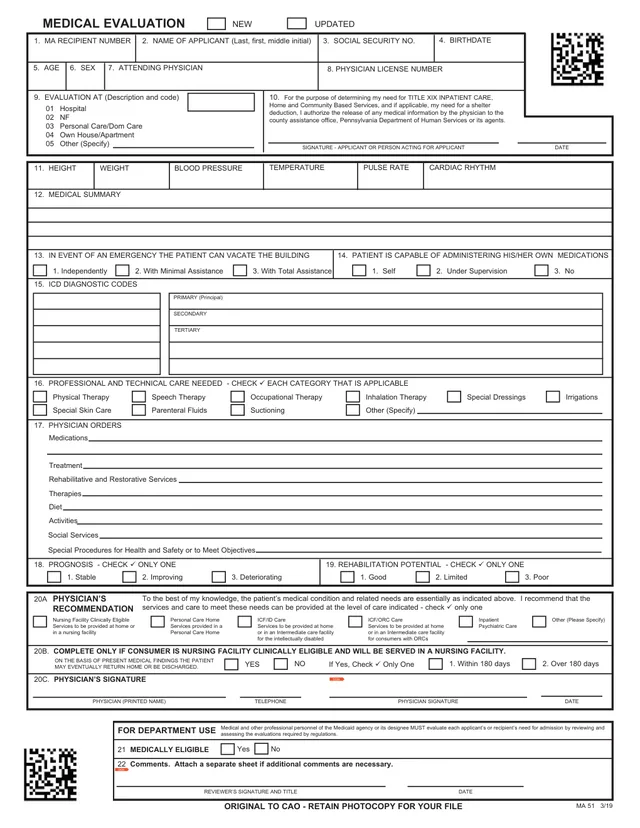
INSTRUCTIONS FOR COMPLETING
MA-51 MEDICAL EVALUATION
NOTE: THE MA-51 IS VALID AS LONG AS IT REFLECTS THE CURRENT CONDITIONS FOR THE APPLICANT
At the top of the page, mark if this is a new or updated MA-51.
Questions 1-7 are self-explanatory.
8. Physician License Number. Enter the physician license number, not the Medical Assistance number.
10. Signature. Applicant should sign if able. If unable, legal guardian or responsible party may sign.
11. Essential Vital Signs. Self-explanatory.
13. Vacating of building. How much assistance does the patient require to vacate the building?
14. Medication Administration. Is the patient capable of being trained to self-administer medications?
18. Prognosis. Indicate patient’s prognosis based on current medical condition.
19. Rehabilitation Potential. Indicate based on current condition. Should be consistent with box 18.
20A. Physician’s Recommendation. Physician must recommend patient’s level of care. If the box for “other” is checked, write in level of care. In order to provide assistance to a physician in the level of care recommendation, the following definitional guidelines should be considered:
20B. Complete only if Consumer is NFCE and wil
How to fill it
Fill or edit this form in MePDF
- Preview page 2 to confirm the form name and revision.
- Select Fill form to answer the form one page at a time.
- Type an answer for each field; checkboxes and choices use the form’s own options.
- Preview the finished pages, then download the flattened PDF.
- The downloaded copy is image-only, so it cannot be edited as a form again.
Use the patient's legal name and the insurer's exact member details. The editor keeps the original layout while you fill the existing fields.