What's inside
Form content
2025
Health Coverage
Do not attach to your tax return. Keep for your records.
Go to www.irs.gov/Form1095B for instructions and the latest information.
560118
VOID
CORRECTED
Part I
Responsible Individual
1 Name of responsible individual–First name, middle name, last name
2 Social security number (SSN) or other TIN
3 Date of birth (if SSN or other TIN is not available)
4 Street address (including apartment no.)
5 City or town
6 State or province
7 Country and ZIP or foreign postal code
8 Enter letter identifying Origin of the Health Coverage (see instructions for codes):
.
.
.
.
.
9 Reserved
Part II
Information About Certain Employer-Sponsored Coverage (see instructions)
10 Employer name
11 Employer identification number (EIN)
12 Street address (including room or suite no.)
13 City or town
14 State or province
15 Country and ZIP or foreign postal code
Part III
Issuer or Other Coverage Provider (see instructions)
16 Name
17 Employer identification number (EIN)
18 Contact telephone number
19 Street address (including room or suite no.)
20 City or town
21 State or province
22 Country and ZIP or foreign postal code
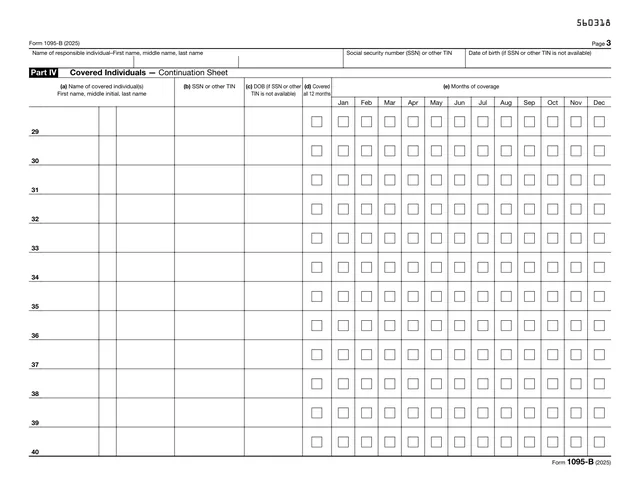
Part IV
Covered Individuals (Enter the information for each covered indiv
How to fill it
Fill or edit this form in MePDF
- Preview page 3 to confirm the form name and revision.
- Select Fill form to answer the form one page at a time.
- Type an answer for each field; checkboxes and choices use the form’s own options.
- Preview the finished pages, then download the flattened PDF.
- The downloaded copy is image-only, so it cannot be edited as a form again.
Use the patient's legal name and the insurer's exact member details. The editor keeps the original layout while you fill the existing fields.