What's inside
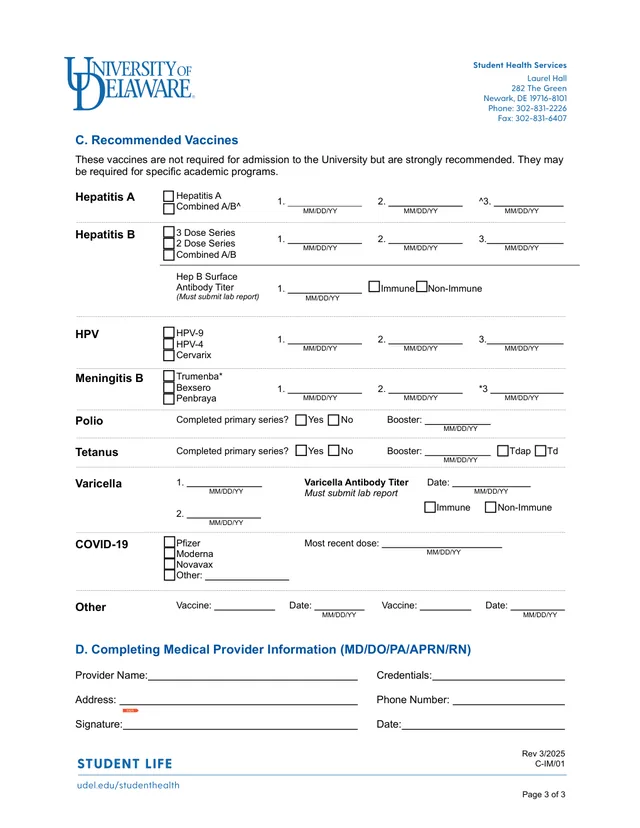
Form content
Rev 3/2025
C-IM/01
Immunization Documentation
Immunization documentation is due by July 25 for fall semester and January 25 for spring semester.
All incoming students, including transfer and graduate students, are required to submit immunization records. Students may submit this form, completed and signed by a licensed healthcare provider (i.e.
physician, nurse practitioner, physician assistant or registered nurse) or other official documentation of immunization records. Dates of immunization should be reported in MM/DD/YYYY format.
All documentation must include your name and date of birth and be signed and legible to be accepted. All documentation must be in English.
Completed forms should be uploaded to the UD Health Portal (udhealthportal.udel.edu) or faxed to
302-831-6407. UD Health Portal access will open in June for fall semester and in January for spring semester.
Additional information regarding required immunizations, TB screening, meningitis disease and vaccination and exemptions can be found on the Student Wellbeing Required Forms
(udel.edu/students/health-wellbeing/records-and-billing/required forms) page.
Please ensure you have completed your Tuberculosis (TB) screeni
How to fill it
Fill or edit this form in MePDF
- Preview page 3 to confirm the form name and revision.
- Select Fill form to answer the form one page at a time.
- Type an answer for each field; checkboxes and choices use the form’s own options.
- Preview the finished pages, then download the flattened PDF.
- The downloaded copy is image-only, so it cannot be edited as a form again.
Use the patient's legal name and the insurer's exact member details. The editor keeps the original layout while you fill the existing fields.