What's inside
Form content
NEED HELP WITH THIS FORM? Call us at 1-855-355-5777. TTY users should call 1-800-662-1220 or 1-
877-662-4886 for TTY in Spanish.
DOH-5090 (12/13)
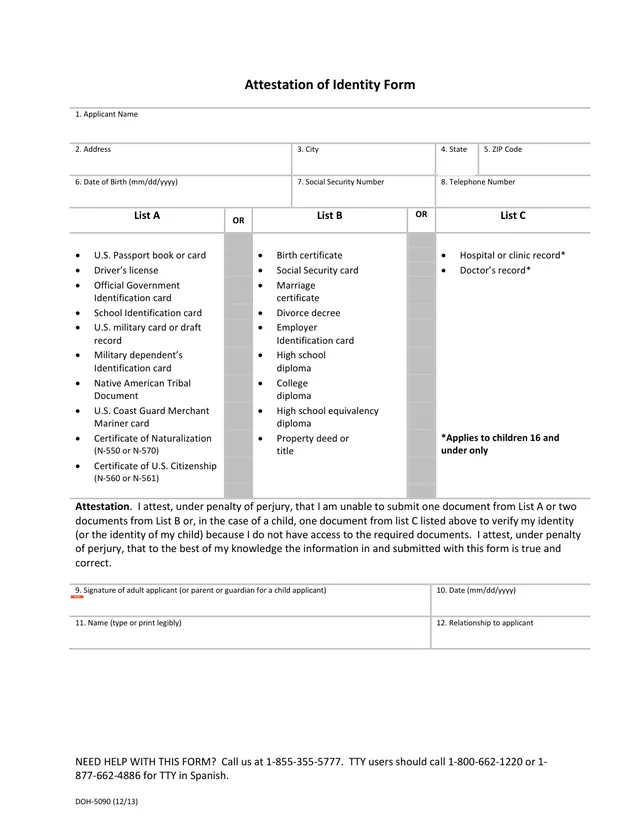
Attestation of Identity Form
NY State of Health needs to verify the identity of applicants to process applications for coverage. You have indicated that you are unable to produce the required documentation for verification of your identity. You need to complete the form below to attest to your identity in the absence of documentation. Once we verify your identity, we can finish processing your application.
If you have one document from List A, have two documents from List B, or are attesting for a child and have one document from List C, you should not use this form. Instead, complete the Identity
Verification Forms for adults or children 16 and under.
Once you have completely filled out the form, you can mail it to: NY State of Health, PO BOX 11727,
Albany, NY 12211. You can also fax it to 1-855-900-5557.
NEED HELP WITH THIS FORM? Call us at 1-855-355-5777. TTY users should call 1-800-662-1220 or 1-
877-662-4886 for TTY in Spanish.
DOH-5090 (12/13)
Attestation of Identity Form
1. Applicant Name
2. Address
3. City
4. State
5. ZIP Code
6.
How to fill it
Fill or edit this form in MePDF
- Preview page 2 to confirm the form name and revision.
- Select Fill form to answer the form one page at a time.
- Type an answer for each field; checkboxes and choices use the form’s own options.
- Preview the finished pages, then download the flattened PDF.
- The downloaded copy is image-only, so it cannot be edited as a form again.
Use the patient's legal name and the insurer's exact member details. The editor keeps the original layout while you fill the existing fields.