What's inside
Form content
Form Approved:
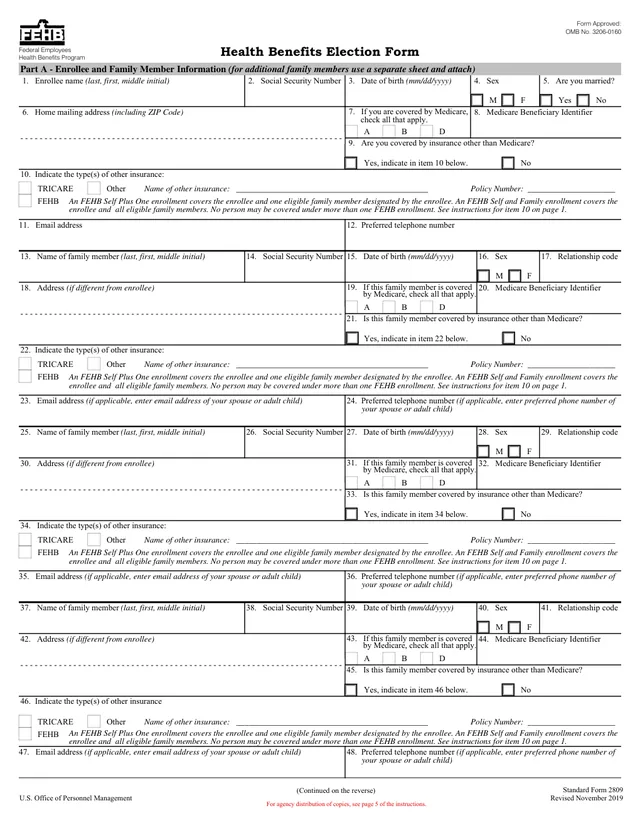
Health Benefits Election Form
Uses for Standard Form (SF) 2809
Use this form to:
•
Switch designated eligible family member; or
•
Enroll or reenroll in the FEHB Program; or
•
Elect not to enroll in the FEHB Program (employees only); or
•
Change your FEHB enrollment; or
•
Cancel your FEHB enrollment; or
•
Suspend your FEHB enrollment (annuitants or former spouses only).
Who May Use SF 2809
1.
Employees eligible to enroll in or currently enrolled in the FEHB
Program. Employees automatically participate in premium conversion unless they waive it, see page 6.
2.
Annuitants in retirement systems other than the Civil Service
Retirement System (CSRS) or Federal Employees Retirement
System (FERS), including individuals receiving monthly compensation from the Office of Workers’ Compensation Programs
(OWCP).
Note: Civil Service Retirement System (CSRS) and Federal
Employees Retirement System (FERS) annuitants and former spouses and children of CSRS/FERS annuitants -- Do not use this form. Instead, use form OPM 2809, which is available at www.opm.gov/forms/OPM-forms, or call the Retirement Information
Office toll-free at 1-888-767-6738.
3.
Former spouses eligible to enroll in o
How to fill it
Fill or edit this form in MePDF
- Preview page 17 to confirm the form name and revision.
- Select Fill form to answer the form one page at a time.
- Type an answer for each field; checkboxes and choices use the form’s own options.
- Preview the finished pages, then download the flattened PDF.
- The downloaded copy is image-only, so it cannot be edited as a form again.
Use the patient's legal name and the insurer's exact member details. The editor keeps the original layout while you fill the existing fields.