What's inside
Form content
OMB Number: 2900-0629
Estimated Burden: 90 min.
Expiration Date: 05/31/2028
INSTRUCTIONS FOR COMPLETING APPLICATION FOR
EXTENDED CARE SERVICES (VAF 10-10EC)
STEP 1. Before You Start. . . .
Enrollment is required to determine copay responsibility. You must complete this form if you are applying for extended care services. If you are currently receiving extended care services and you have a change in marital/dependent status or financials you must submit a new 10-10EC application to your local VA medical facility within 10 calendar days of the change. Source: Code of Federal Regulations 17.111 Copayments for Extended Care Services.
What is VA Form 10-10EC used for?
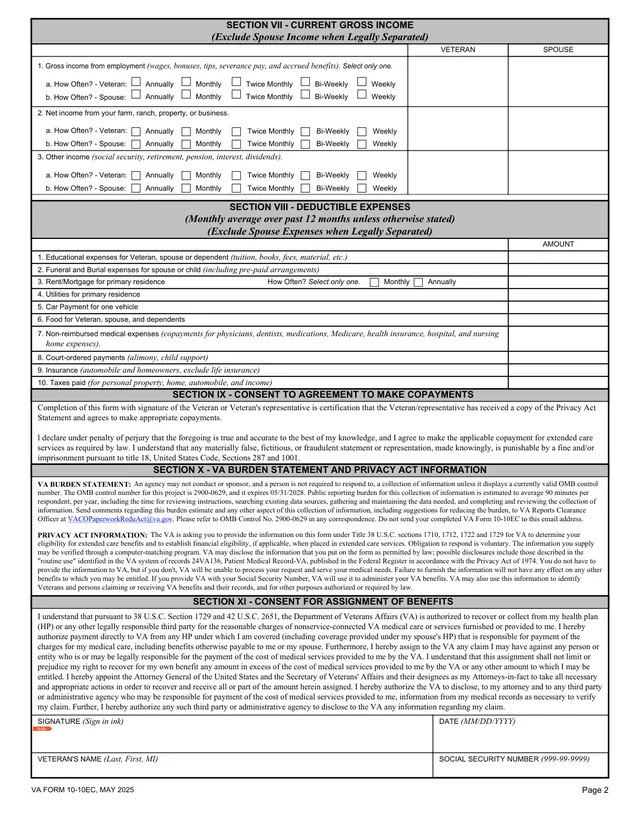
To estimate monthly copayment responsibility for extended care services provided to you by VA, either directly, or paid for by the VA. There is no copayment for the first 21 days of extended care services that VA provides to you in any 12-month period.
Where can I get help understanding how to fill out the form?
Enrolled Veterans may contact your local VA medical facility for assistance on understanding the information and financial data needed to complete VA Form 10-10EC.
What will I need to know in order to complete the
How to fill it
Fill or edit this form in MePDF
- Preview page 4 to confirm the form name and revision.
- Select Fill form to answer the form one page at a time.
- Type an answer for each field; checkboxes and choices use the form’s own options.
- Preview the finished pages, then download the flattened PDF.
- The downloaded copy is image-only, so it cannot be edited as a form again.
Use the patient's legal name and the insurer's exact member details. The editor keeps the original layout while you fill the existing fields.