What's inside
Form content
(Rev. October 2016)
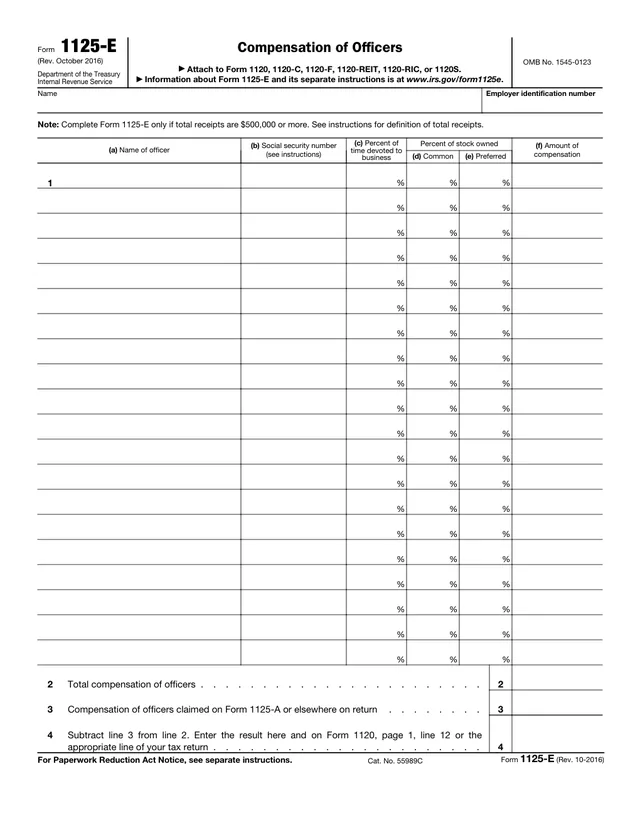
Compensation of Officers
▶ Attach to Form 1120, 1120-C, 1120-F, 1120-REIT, 1120-RIC, or 1120S.
▶ Information about Form 1125-E and its separate instructions is at www.irs.gov/form1125e.
Name
Employer identification number
Note: Complete Form 1125-E only if total receipts are $500,000 or more. See instructions for definition of total receipts.
(a) Name of officer
(b) Social security number
(see instructions)
(c) Percent of time devoted to business
Percent of stock owned
(f) Amount of compensation
(d) Common
(e) Preferred
1
%
%
%
%
%
%
%
%
%
%
%
%
%
%
%
%
%
%
%
%
%
%
%
%
%
%
%
%
%
%
%
%
%
%
%
%
%
%
%
%
%
%
%
%
%
%
%
%
%
%
%
%
%
%
%
%
%
%
%
%
2
Total compensation of officers .
.
.
.
.
.
.
.
.
.
.
.
.
.
.
.
.
.
.
.
.
.
.
2
3
Compensation of officers claimed on Form 1125-A or elsewhere on return
.
.
.
.
.
.
.
.
3
4
Subtract line 3 from line 2. Enter the result here and on Form 1120, page 1, line 12 or the appropriate line of your tax return .
.
.
.
.
.
.
.
.
.
.
.
.
.
.
.
.
.
.
.
.
.
4
For Paperwork Reduction Act Notice, see separate instructions.
Cat. No. 55989C
Form 1125-E (Rev. 10-2016)
How to fill it
Fill or edit this form in MePDF
- Preview page 1 to confirm the form name and revision.
- Select Fill form to answer the form one page at a time.
- Type an answer for each field; checkboxes and choices use the form’s own options.
- Preview the finished pages, then download the flattened PDF.
- The downloaded copy is image-only, so it cannot be edited as a form again.
Use the registered business name and the correct tax identifier. The editor keeps the original layout while you fill the existing fields.