What's inside
Form content
3671243
Form 568 2024 Side 1
Limited Liability Company
Return of Income
I
(1) During this taxable year, did this LLC acquire control or majority ownership (more than a 50% interest) in another legal entity?
If yes, did the acquired entity(ies) own California real property (i.e., land, buildings), lease such property for a term of 35 years or more, or lease such property from a government agency for any term? If yes to both questions, answer yes... . . . . . . . . . . . . . • □ Yes □ No
(2) During this taxable year, did another person or legal entity acquire control or majority ownership (more than a 50% interest) of this LLC or any legal entity in which the partnership holds a controlling or majority interest?
If yes, did the acquired entity(ies) own California real property (i.e., land, buildings), lease such property for a term of
35 years or more, or lease such property from a government agency for any term? If yes to both questions, answer yes. . • □ Yes □ No
(3) Has California real property (i.e., land, buildings) transferred to the LLC that was excluded from property tax reassessment under Revenue and Taxation Code Section 62(a)(2)?
If yes, during this taxable year, has more
How to fill it
Fill or edit this form in MePDF
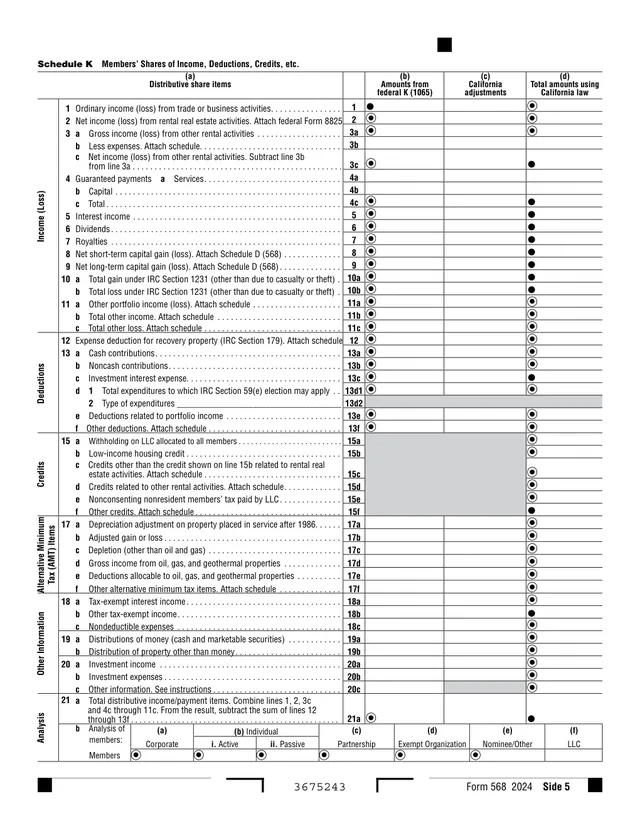
- Preview page 5 to confirm the form name and revision.
- Select Fill form to answer the form one page at a time.
- Type an answer for each field; checkboxes and choices use the form’s own options.
- Preview the finished pages, then download the flattened PDF.
- The downloaded copy is image-only, so it cannot be edited as a form again.
Use the registered business name and the correct tax identifier. The editor keeps the original layout while you fill the existing fields.