What's inside
Form content
~
Employment
EDD Development
Department
I llllll lllll lllll lllll lllll lllll lllll 111111111111111111
•
□
ID
I I I 11 I I I ID
□
□
□
□
□
□
□
□
□
□
□
□
□
□
□
□
□
□
□
□
□
□
□
□
□
□
□
□
□
□
□
-
□
□
-
□
□
-
□
□
•
000101151
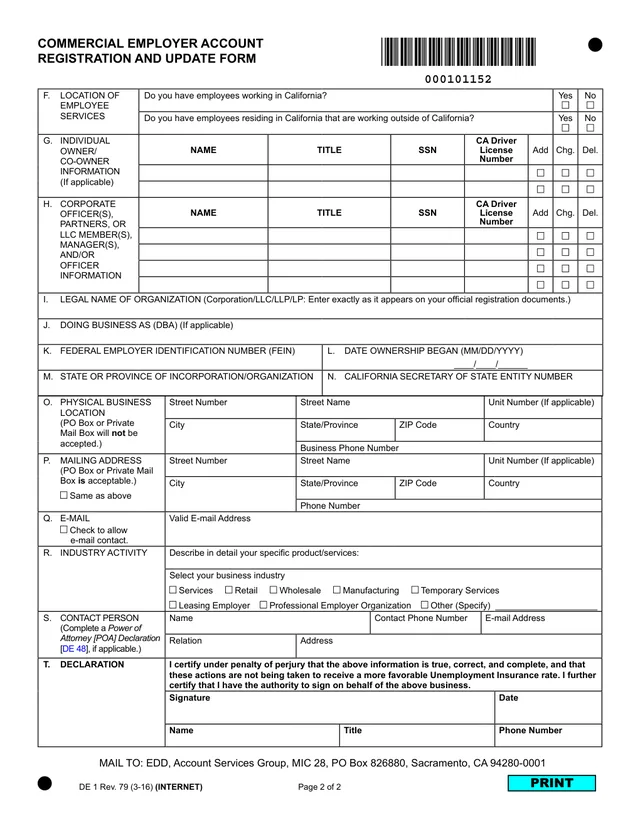
COMMERCIAL EMPLOYER ACCOUNT REGISTRATION AND UPDATE FORM
Did you know you can register online anytime? The Employment Development Department (EDD) e-Services for Business online application is secure, saves paper, postage, and time. You can access the online application at www.edd.ca.gov/e-Services_for_Business and follow the easy step-by-step process to complete your registration.
Review the Instructions for Completing the Commercial Employer Account Registration and Update Form (DE1-I) prior to completing this form. Do not submit this form until you have paid wages in excess of $100 to one or more employees in any calendar quarter. Additional information about registering with the EDD is available online at www.edd.ca.gov/Payroll_Taxes/Am_I_Required_to_Register_as_an_Employer.htm.
Important: This form may not be processed if the required information is missing.
A.
I WANT TO
(Select only one box then complete the items specified for that selection.)
Register for a
How to fill it
Fill or edit this form in MePDF
- Preview page 2 to confirm the form name and revision.
- Select Fill form to answer the form one page at a time.
- Type an answer for each field; checkboxes and choices use the form’s own options.
- Preview the finished pages, then download the flattened PDF.
- The downloaded copy is image-only, so it cannot be edited as a form again.
Use the registered business name and the correct tax identifier. The editor keeps the original layout while you fill the existing fields.