What's inside
Form content
ALASKA MOTOR VEHICLE
BILL OF SALE
DATE:
THIS BILL OF SALE is made on the date above by and between the following parties:
1. SELLER’S INFORMATION
Name:
Street Address:
City, State, Zip Code:
Telephone Number:
Email Address:
2. BUYER’S INFORMATION
Name:
Street Address:
City, State, Zip Code:
Telephone Number:
Email Address:
3. MOTOR VEHICLE DESCRIPTION
(Seller’s name) hereby agrees to sell, and
(Buyer’s name) hereby agrees to purchase, the following motor vehicle:
Make:
Model:
Body Type:
Year:
Odometer:
miles
Color:
VIN #:
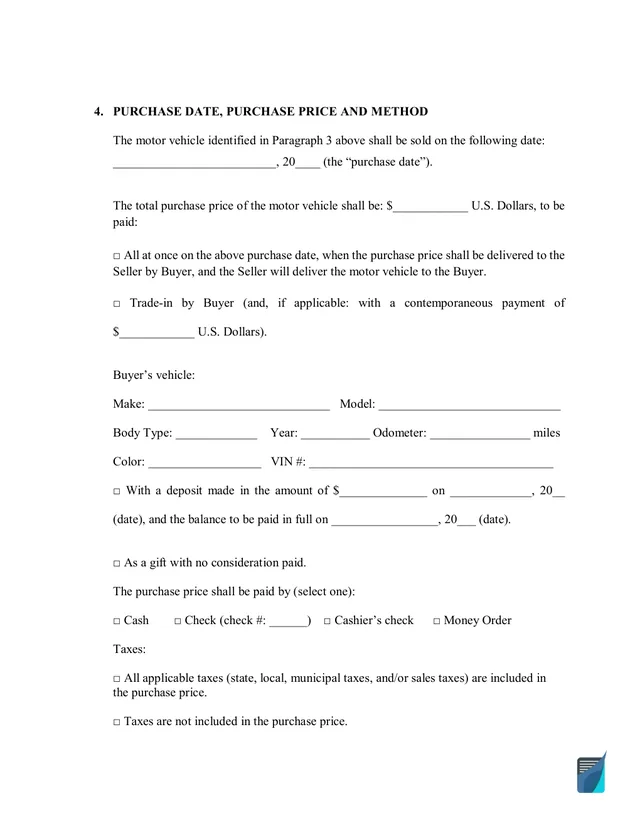
4. PURCHASE DATE, PURCHASE PRICE AND METHOD
The motor vehicle identified in Paragraph 3 above shall be sold on the following date:
, 20
(the “purchase date”).
The total purchase price of the motor vehicle shall be: $
U.S. Dollars, to be paid:
□All at once on the above purchase date, when the purchase price shall be delivered to the
Seller by Buyer, and the Seller will deliver the motor vehicle to the Buyer.
□Trade-in by Buyer (and, if applicable: with a contemporaneous payment of
$
U.S. Dollars).
Buyer’s vehicle:
Make:
Model:
Body Type:
Year:
Odometer:
miles
Color:
VIN #:
□With a deposit made in the amount of $ on
, 20
(date), and the balance to be paid in full on
How to fill it
Fill or edit this form in MePDF
- Preview page 2 to confirm the form name and revision.
- Select Fill form to answer the form one page at a time.
- Type an answer for each field; checkboxes and choices use the form’s own options.
- Preview the finished pages, then download the flattened PDF.
- The downloaded copy is image-only, so it cannot be edited as a form again.
Use the registered business name and the correct tax identifier. The editor keeps the original layout while you fill the existing fields.