What's inside
Form content
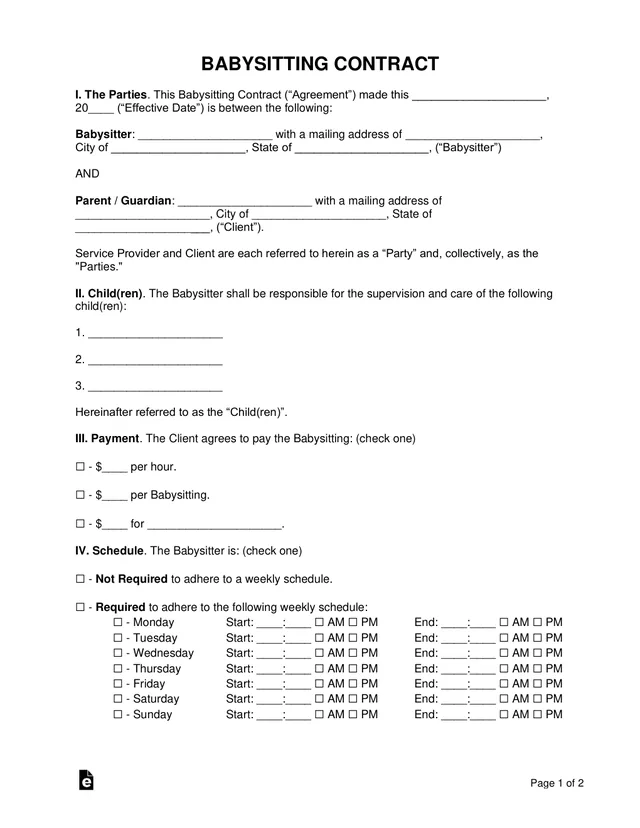
BABYSITTING CONTRACT
I. The Parties. This Babysitting Contract (“Agreement”) made this _____________________,
20____ (“Effective Date”) is between the following:
Babysitter: _____________________ with a mailing address of _____________________,
City of _____________________, State of _____________________, (“Babysitter”)
AND
Parent / Guardian: _____________________ with a mailing address of
_____________________, City of _____________________, State of
_____________________, (“Client”).
Service Provider and Client are each referred to herein as a “Party” and, collectively, as the
"Parties."
II. Child(ren). The Babysitter shall be responsible for the supervision and care of the following child(ren):
1. _____________________
2. _____________________
3. _____________________
Hereinafter referred to as the “Child(ren)”.
III. Payment. The Client agrees to pay the Babysitting: (check one)
☐ - $____ per hour.
☐ - $____ per Babysitting.
☐ - $____ for _____________________.
IV. Schedule. The Babysitter is: (check one)
☐ - Not Required to adhere to a weekly schedule.
☐ - Required to adhere to the following weekly schedule:
☐ - Monday
Start: ____:____ ☐ AM ☐ PM
End: ____:____ ☐ AM ☐ PM
☐ - Tu
How to fill it
Fill or edit this form in MePDF
- Preview page 1 to confirm the form name and revision.
- Select Fill form to answer the form one page at a time.
- Type an answer for each field; checkboxes and choices use the form’s own options.
- Preview the finished pages, then download the flattened PDF.
- The downloaded copy is image-only, so it cannot be edited as a form again.
Use the registered business name and the correct tax identifier. The editor keeps the original layout while you fill the existing fields.